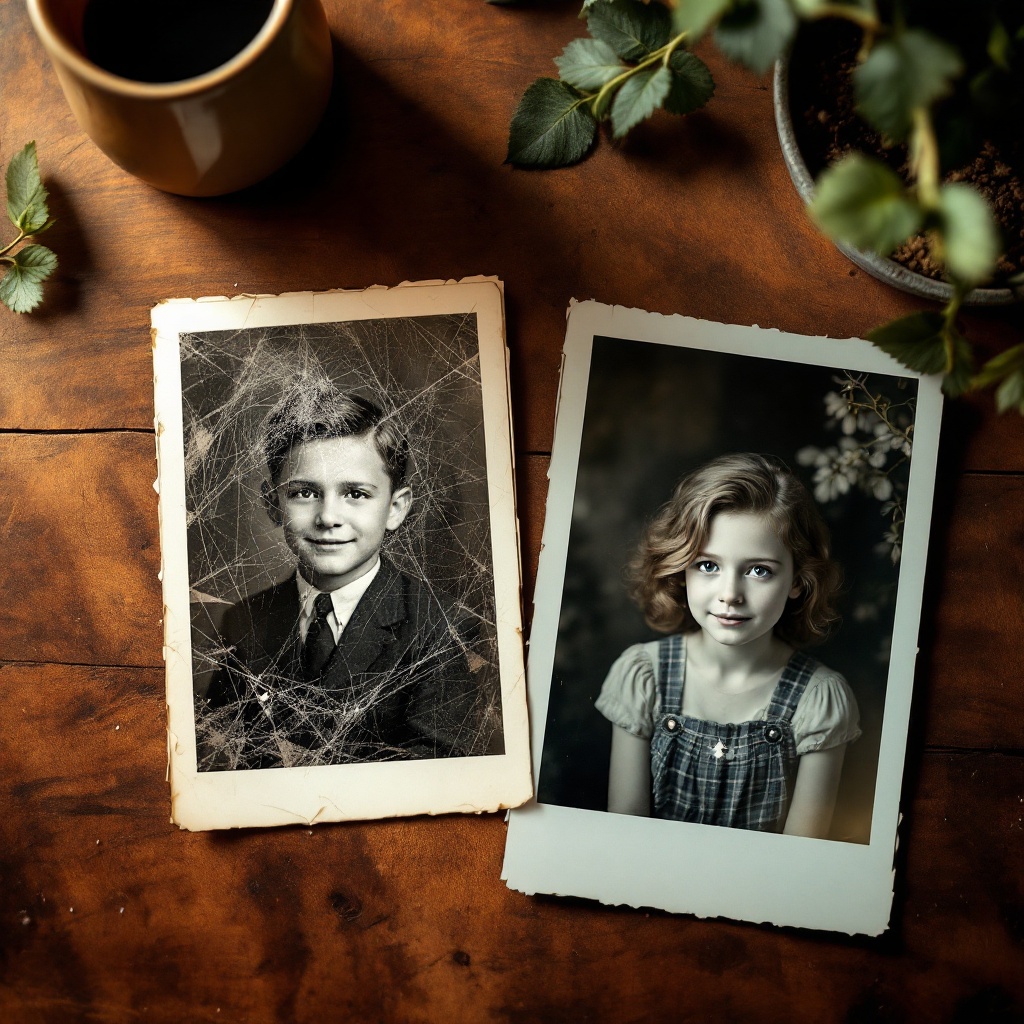
Old photographs hold a special kind of magic. They capture moments that connect us to our family history, loved ones, and even our cultural heritage. But time isn’t kind to paper prints—scratches, fading, and discoloration can make once-vivid memories hard to see.
Until recently, restoring these treasures required costly professionals or advanced Photoshop skills. Now, thanks to AI technology, anyone can bring their old images back to life in just a few clicks. If you’ve been searching for the best AI app for restoring old photos, this guide will show you exactly how to use Chat4o AI to revive your memories—quickly, easily, and even online for free.
You can try the tool here: restore old photos online free.
Why Choose AI for Old Photo Restoration?
Traditional photo restoration is a manual process—painstakingly patching scratches, adjusting colors, and sharpening details. It can take hours for a single picture. AI, however, automates the heavy lifting.
With modern old photo restoration technology:
- Scratches vanish: Surface damage is repaired seamlessly.
- Colors return: Black-and-white or faded photos gain natural hues.
- Details sharpen: Faces and features are clearer, even in blurred images.
- Speed matters: Results appear in seconds, not hours.
And best of all, these tools are accessible online. You don’t need editing skills—just upload, click, and download.
The Best AI App for Restoring Old Photos
There are several AI restoration apps available today, but Chat4o AI stands out for its simplicity and results. It’s designed specifically for photo repair and enhancement, offering users a streamlined way to restore old images without complicated settings.
Key advantages of Chat4o AI’s old photo restoration tool include:
- One-click repair for scratches, cracks, and discoloration.
- Color restoration that feels natural, not artificial.
- Free online access, letting you test and restore old photos online free without buying software.
- Privacy control so you decide whether to keep results public or private.
It’s the perfect balance of ease and power—making it the best AI app for restoring old photos for everyday users.
Step-by-Step Guide: How to Restore Old Images with Chat4o AI
Let’s walk through exactly how you can bring your photos back to life using Chat4o’s interface.
-
Upload Your Image
Start by visiting restore old photos online free. Under Transform Images, click the upload box or drag your photo into it. Supported formats include JPG, WEBP, and PNG. -
Write Your Prompt
In the Prompt field, type what you want the AI to fix. For example:- “Just fix the scratches in the photo, the rest remains unchanged.”
- “Restore color fading while keeping details intact.”
-
Select Resolution
Choose the resolution ratio. The default is 1:1, which works perfectly for most portraits. If your photo is rectangular, adjust accordingly. -
Choose Restore Type
Pick the type of restoration:- Scratch Restoration – Ideal if the photo’s colors are fine but scratches or cracks are the issue.
- Scratch and Color Restoration – Best if the photo is faded, yellowed, or originally black-and-white.
-
Adjust Privacy Settings (Optional)
Toggle the Public switch if you’d prefer to keep your restored photo private. -
Generate
Click Generate (50 credits) to let the AI work. Within seconds, you’ll see your restored image. -
Preview and Download
Review the before-and-after results. If you’re happy, download your restored photo. If not, refine your prompt or try switching the restoration type.
That’s it—seven simple steps to restore old photos without expensive tools or training.
Key Features That Make Restoration Easy
What makes Chat4o AI stand out is not just the restoration itself, but how simple it makes the process.
- Scratch Removal – Tears, dust, and surface damage are filled in naturally.
- Color Revitalization – Faded tones are rebalanced, and monochrome shots can be recolored.
- Facial Detail Enhancement – Portraits look sharper, with eyes and expressions made clearer.
- Fast Turnaround – Instead of hours of editing, results appear in seconds.
- Free Online Tool – You can start right now and restore old photos online free with no downloads required.
Real-World Examples: Before and After
Imagine opening your grandparents’ wedding album and seeing the photos scratched, with faded black-and-white tones. With just one upload and click:
- The scratches disappear.
- The bride’s dress regains crisp texture.
- The groom’s suit looks sharp.
- A natural tint of color breathes new life into the scene.
Other examples include:
- Childhood snapshots where faces are now clearer.
- Historical war photos restored with authentic tones.
- Family group portraits where everyone is visible again.
These transformations highlight why AI is the best AI app for restoring old photos today.
Alternatives vs. Chat4o AI
Of course, traditional restoration methods exist:
- Photoshop/manual editing – Powerful, but requires expertise and hours of work.
- Professional restorers – Skilled but expensive, often charging per photo.
- Other AI tools – Some are limited, adding watermarks or restricting free use.
In comparison, Chat4o AI’s old photo restoration is fast, accurate, affordable, and easy for beginners. It gives professional-like results without professional costs.
Conclusion: Preserve Your Memories Today
Old photos aren’t just images—they’re family stories, cultural heritage, and pieces of identity. Don’t let them fade away in dusty albums. With the best AI app for restoring old photos, you can breathe life back into them in minutes.
Chat4o AI makes it simple: upload, choose restoration, and watch your memories come alive again. Whether you want to restore old photos, restore old images, or even restore old photos online free, this tool delivers.
👉 Try it now: Chat4o AI Old Photo Restore.
Your memories deserve a second chance—and with AI, they can shine brighter than ever.