Most people do not need a chatbot every time they want to clean up a sentence. Sometimes the task is simple: make this email sound more professional, simplify a paragraph, change the tone, or rewrite a message in another language. In those moments, a dedicated rewriting tool can feel much better than a blank chat box.
That is exactly where rewriting text with AI on Chat4o AI makes sense. Instead of forcing users to type long instructions and guess the right prompt, the tool gives them a focused interface built for rewriting. You paste the text, choose your settings, click submit, and get a cleaner version back.
This guide explains how the Free AI Rewriter works, why it can be easier than a chatbot for everyday writing tasks, how it compares with tools like QuillBot, and which other Chat4o tools are worth trying next.
What the Free AI Rewriter on Chat4o AI actually does
Chat4o’s rewriting tool is built for one clear job: taking existing text and improving, reshaping, or adapting it. That can mean changing the tone, making the wording more natural, simplifying a sentence, polishing grammar, or rewriting a longer block of text for a different audience.
In practice, that makes it useful for much more than paraphrasing. You can use it to make a message friendlier, make a formal note sound more professional, simplify dense writing, or turn rough wording into something smoother and easier to read. If you need to rewrite a sentence with AI, it works well for short edits. If you need to rework a bigger draft, it can also help you rewrite a paragraph with AI without without forcing you to build complex instructions from scratch.
The biggest difference is that the tool is structured around the rewrite task itself. It is not trying to be everything at once.
Why a dedicated rewriter feels easier than a chatbot
A chatbot is flexible, but that flexibility can create extra work. To get a strong rewrite from a normal chat interface, users often end up typing something like: “Please rewrite this in a more professional but friendly tone, keep it short, make it sound natural, and translate it into Japanese.” That works, but it also means the user has to know how to ask.
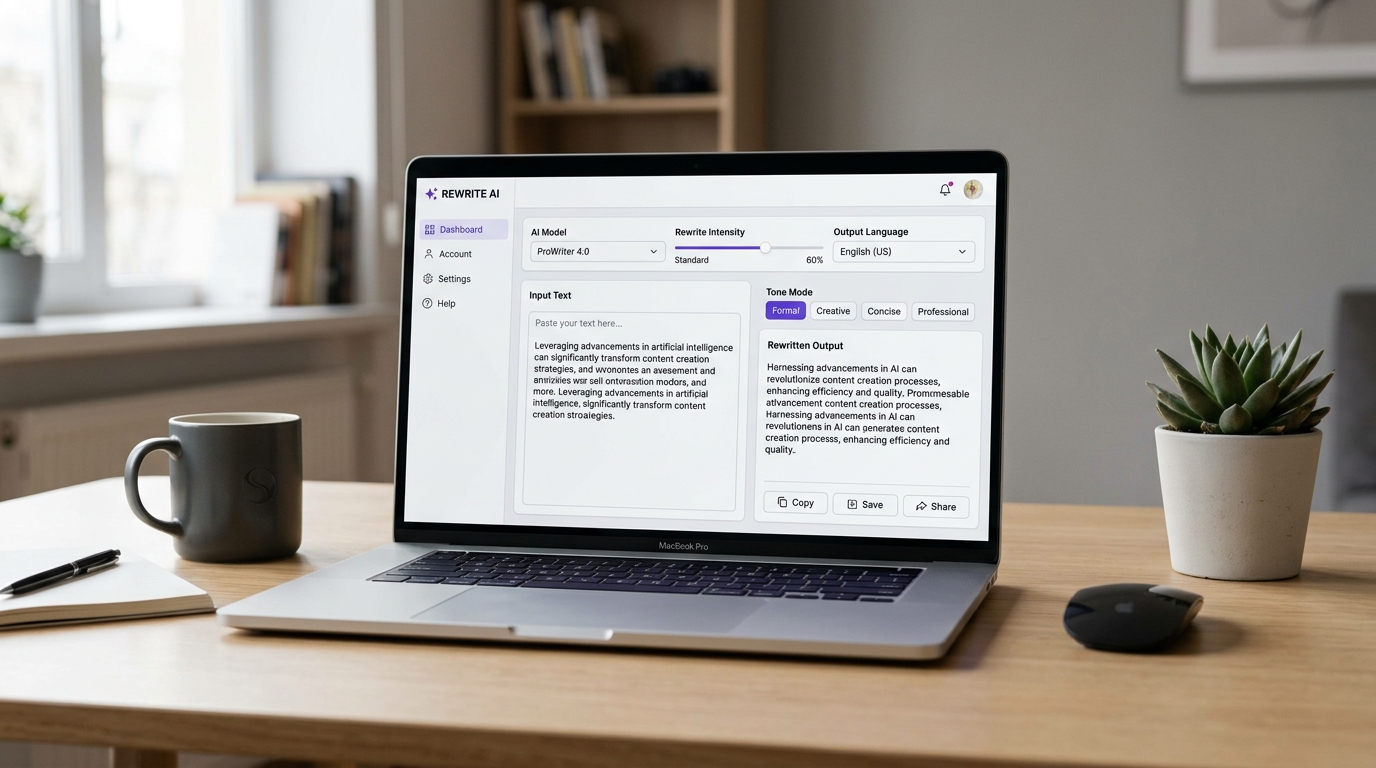
With Chat4o’s rewriter, the main options are already built into the page. You paste the original text into the input box, then pick the rewrite settings from visible controls. That means less prompt engineering and more direct action.
This is especially helpful for beginners. Instead of having to type “please rewrite this in a confident but casual tone,” they can simply choose a mode and submit the text. The tool is specialized, so the workflow feels lighter and more intuitive.
That is the real advantage over a general chatbot. The chatbot may be more open-ended, but the rewriter is faster when the job is already clear.
How to use the tool step by step
The tool is simple enough that most users can understand it immediately.
Start by pasting your source text into the main input area. This can be a sentence, an email, a product description, a social caption, or a full paragraph.
Next, choose a mode. Based on the current interface, Chat4o offers options such as Formal, Friendly, Casual, Professional, Diplomatic, Confident, Middle school, and High school. That makes the tool useful for both tone changes and readability adjustments.
After that, choose a model. The current interface shows options including GPT 4.1 Mini, GPT 4.1, Gemini 2.5 Flash Preview, GPT 5.1, GPT-5, and grok 4. Users who want a quick result can keep the default, while more advanced users may like the ability to compare models.
Then set the intensity. Low is useful when you want a light cleanup without changing the original too much. Medium creates more noticeable rewriting. High is better when you want stronger transformation.
You can also choose the output language. The interface currently supports English, Japanese, Portuguese, Spanish, German, Russian, French, and Simplified Chinese. That makes the tool practical not only for rewriting, but also for light multilingual adaptation.
Finally, click submit and review the output. If it feels too close to the original, raise the intensity. If it feels too different, lower it. That kind of built-in control is one of the reasons the tool feels easier than a chatbot.
Best use cases for Chat4o’s AI rewriter
A dedicated rewriter is most useful when you already know what you want to do with the text.
One strong use case is email and messaging cleanup. Many users do not need a long AI conversation. They just want a short note to sound clearer, calmer, friendlier, or more polished.
Another strong use case is rewriting for audience level. The Middle school and High school modes make the tool useful when you want to simplify complex writing without manually rewriting every sentence. That can help with study materials, explanations, summaries, or content meant for broader audiences.
It also works well for social posts, resumes, professional bios, short marketing copy, and everyday writing improvements. If a paragraph feels stiff, repetitive, or too rough, AI paragraph rewriting can help reshape it quickly.
In other words, the tool is strongest when the task is practical and specific.
How to make text sound more human
One of the most common reasons people use rewriters is that they want text to feel less robotic. They may already have something grammatically correct, but it still sounds stiff or unnatural.
That is where a more humanized rewrite becomes useful. A good way to approach this on Chat4o is to choose a mode like Friendly, Casual, or even Professional depending on the goal, then increase the intensity slightly if the output still feels too plain. In effect, this is how you can use the tool as a way to make text sound more human with AI.
The advantage here is again simplicity. Instead of writing a long prompt asking for natural rhythm, reduced stiffness, and more conversational wording, the interface helps you get there faster.
Of course, no automated rewrite should be accepted blindly. The best approach is to treat the output as a strong draft, then make quick edits so the result matches your voice.
What Chat4o does better than a normal chatbot for rewriting
The clearest benefit is specialization. A chatbot can rewrite text, but rewriting is only one of many things it can do. Chat4o’s rewriter is focused on the rewrite job, so the interface is built around speed and control.
That gives users several practical advantages. The options are visible from the start. Tone selection is easy. Rewrite strength is adjustable. Language switching is straightforward. And because everything sits inside a guided form, the learning curve is much lower for people who do not enjoy prompting.
This does not mean a chatbot has no value. In fact, chatbots are better when the user wants brainstorming, discussion, or open-ended back-and-forth editing. But when the goal is simply to rewrite text efficiently, the dedicated tool is often the easier choice.
That is why Chat4o’s rewriter feels less complicated. It reduces the number of decisions the user has to make in text form and turns them into visible controls.
Chat4o Rewriter vs QuillBot: a brief comparison
QuillBot is one of the best-known names in rewriting and paraphrasing. It has a mature writing-focused ecosystem and is widely used for paraphrasing, grammar support, summarizing, and related study or writing tasks. For users who want a dedicated writing suite, that is a real strength.
Chat4o’s advantage is different. It is lighter, more direct, and more integrated into a broader multi-tool environment. Instead of focusing only on paraphrasing as part of a writing suite, Chat4o offers a guided rewrite tool plus access to multiple AI models and other utilities on the same platform.
So the better choice depends on workflow. QuillBot may appeal more to users who want a long-established paraphrasing platform with adjacent writing utilities. Chat4o may appeal more to users who want a simpler interface, quick control over rewrite style, and easy movement between rewriting, image tools, and general AI workflows.
That comparison does not need a dramatic winner. It is mostly a difference in product style.
Is free AI rewriting enough for everyday use?
For a lot of users, yes. Everyday writing tasks usually do not require a complicated setup. If you want to clean up a message, restyle a paragraph, soften the tone, or simplify wording, free AI rewriting is often enough.
The main value of a free guided tool is not just cost. It is convenience. When the rewrite process is simple, people are more likely to use it consistently. That can save time on emails, captions, notes, bios, customer replies, and study materials.
Free access is especially attractive when the alternative is either paying for a full writing suite or spending time crafting prompts in a chatbot every single time.
Other Chat4o tools and models worth trying
Once you finish rewriting text, you may want to move into other workflows. That is where Chat4o’s wider tool library becomes useful.
If you want help understanding an image, try Free Image Describer. If you want to turn a visual into generation-ready instructions, use Free Image to Prompt. If you want to create images directly, try the AI Image Generator.
For users who want to explore the model ecosystem behind the platform, Chat4o also makes it easy to try tools and experiences connected to GPT 5.1, Nano Banana Pro, and Seedream 5.0 AI.
That broader environment is one of the reasons the rewriter feels practical. It is not an isolated feature. It can become the first step in a larger AI workflow.
Final takeaway
If you want open-ended collaboration, a chatbot is still useful. But if you already know the task is rewriting, Chat4o’s dedicated rewriter is often the simpler option.
It is easier to use, more guided, and less dependent on prompt-writing skill. The visible controls for mode, model, intensity, and language make rewriting faster for everyday users, while still leaving room for more advanced control.
That is the real appeal of rewriting with AI on Chat4o AI. It takes a common task and makes it feel straightforward.
Related Articles
- GPT‑4.1 (2025): The Refined AI Powerhouse You Can Use Now on Chat4O
- GPT‑OSS Meets Chat4O: The Ultimate Playbook for Open & Managed AI Power in 2025
- How to Describe the Picture with Free Image Describer AI
- Seedream 5.0 Lite vs Nano Banana Pro: Which Chat4o Tool Fits Your Image Workflow Best?
People Also Read
- Seedream 5.0 AI Image Editor Guide on HeyDream AI (2026)
- Seedance 2.0 vs 1.0: What’s Better for AI Video?
- Nano Banana Pro on DreamMachine AI: A Practical Way to Create Better AI Images
- Try Veo 3.1 in Dream Machine AI: A Practical Guide to Text-to-Video and Image-to-Video Creation
- Kling 2.5 AI Prompt Guide for Cinematic Video Generation
- Hailuo 02 Prompt Guide: How to Use Hailuo AI for Image-to-Video on VideoWeb
- Nano Banana Pro Guide: 10 Best Image Prompts for Expert Use Cases
- How to Use Free Image to Prompt Tools on Flux AI
- How to Use Sea Imagine AI’s Image Generator: A Beginner-Friendly Tutorial
- Nano Banana 2 vs Seedream 5.0: A Practical Comparison Guide